Shear Wall Multi Segments
The images identify controls in the exercised build. Read the version and run limitations below before applying the workflow. Proposed exercises are not verified results; no accepted result-model download is available for this tool.
Use BimSpeed.STR → Wall → Shear Wall Multi Segments to apply the lowest segment's design to selected segments. This is the multi-segment Shear Wall command, separate from Wall Rebar TCVN.
- Preselect valid walls/columns, or run the command and select multiple hosts, then Finish. Items outside the selection filter are ignored in preselection.
- Group compatible segments with a suitable shared section. Curtain/stacked walls and invalid Rebar hosts are rejected; invalid items may be skipped in a multiple selection.
- Hosts are ordered by bottom elevation and Id. The lowest host opens the design editor. Review all Shear Wall settings before OK.
- Remaining hosts are read again and receive the design. Roof/foundation flags depend on stack position. Individual segments can fail: read the final report instead of inferring success from the first host.
- Inspect native Rebar by host and storey, including diameters, laps, foot direction and quantities. Use an elevation across the storey boundary, save a result copy, then reopen it.
Scope exercise
Start with two compatible segments and record valid/skipped hosts. Increase the master count and check both hosts, then decrease it. Test a changed section separately so a failure is easy to locate. These are proposed exercises; this evidence set does not include a committed multi-segment result.
The editor is shared with Shear Wall. A one-host screenshot demonstrates the editor only. No download generated by this multi-segment command is available from this pass.
Shared editor and scope
The image below demonstrates the editor for one host. Read Shear Wall for its page controls; multiple-host selection and propagation remain a separate workflow.
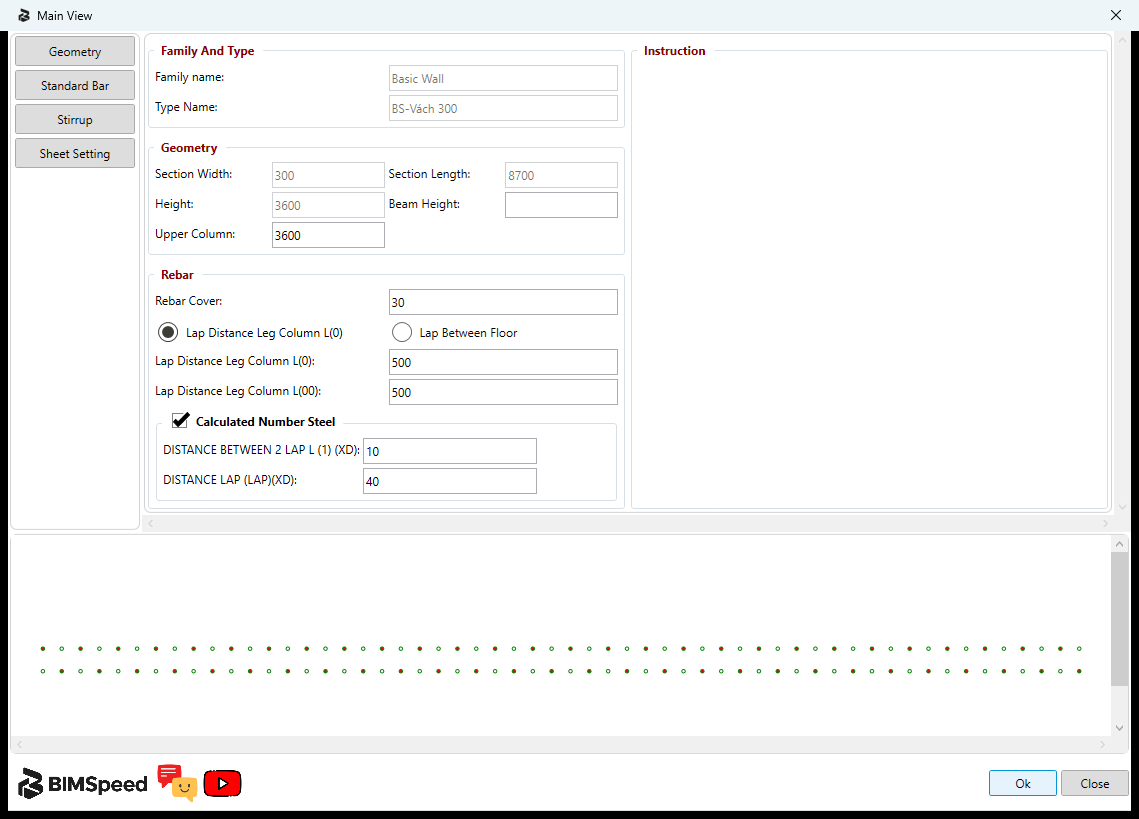
- Design starts from the lowest segment; review all four pages before OK.
- Check every selected segment section. One editor image does not prove propagation to the entire stack.
No accepted multi-segment output download is supplied. The single educational input teaches the editor and does not demonstrate storey continuity. Check host counts and reinforcement per storey after saving and reopening a real stack.
Requirement for model creation
The exercised Revit 2024 Release build displayed You are not logged in! during its command permission check and cancelled before creation. An open editor does not establish sign-in or creation permission. Multi Segments uses the Shear Wall permission. Use the normal BIMSpeed sign-in flow and check access to the exact command and Revit version before running on a copy. No generated, saved and reopened result has been verified for this command; its preview is not accepted output evidence.