Set Partition — From Host Mark
English Revit 2027.3 demonstration. Verification: Host C-01 to rebar Partition C-01 verified.
Video
Narration: Google Gemini Charon, professional English. The video retains the full Revit screen, briefly zooms on named controls, and includes timed English subtitles. Transcript · SRT.
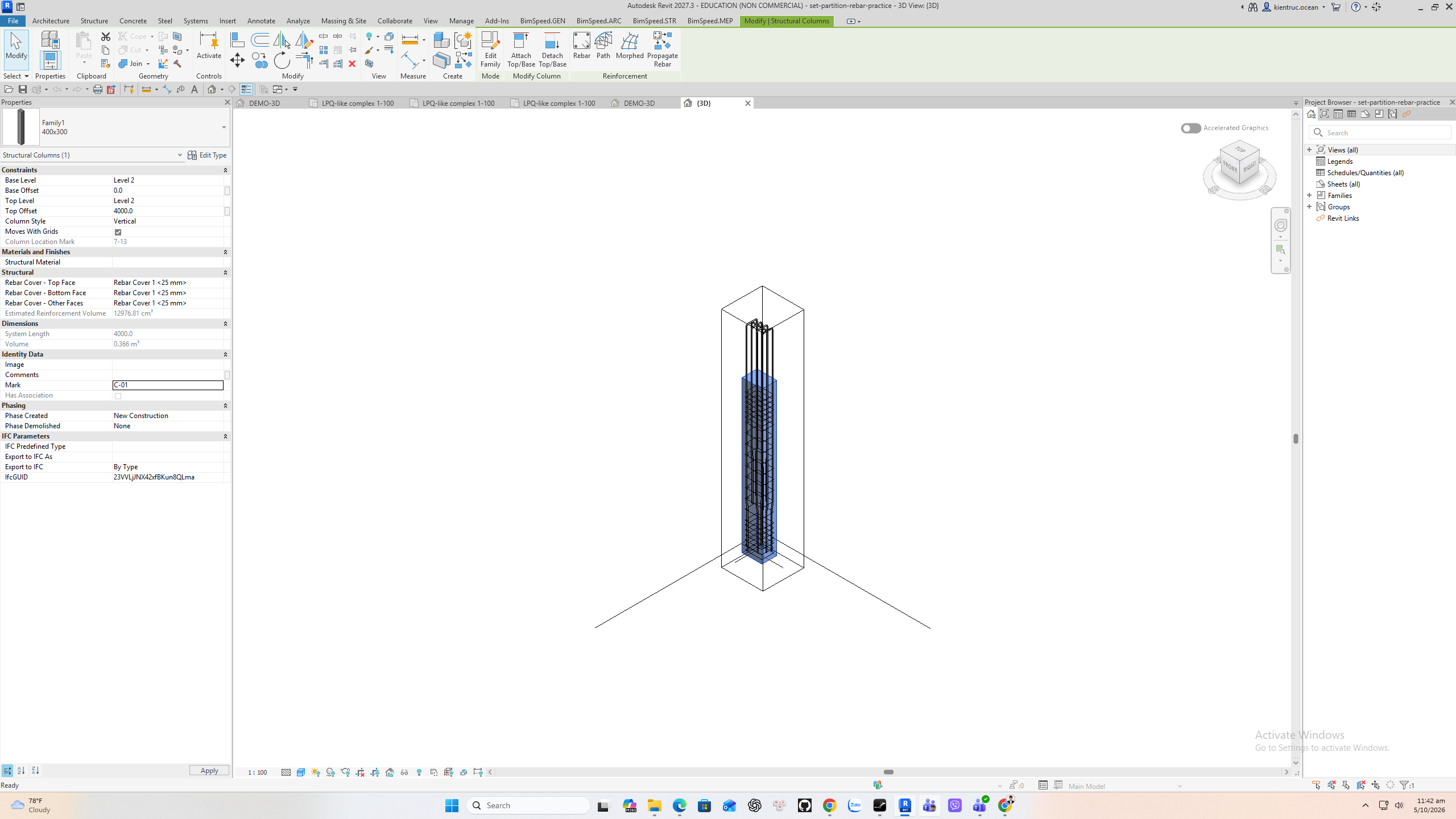
1. Prepare the host Mark
Select the concrete host and set its Revit Mark to C dash zero one. This command has no prefix or settings dialog: it copies the host mark to Partition on hosted Rebar. Confirm the Mark is the exact label your schedules need.
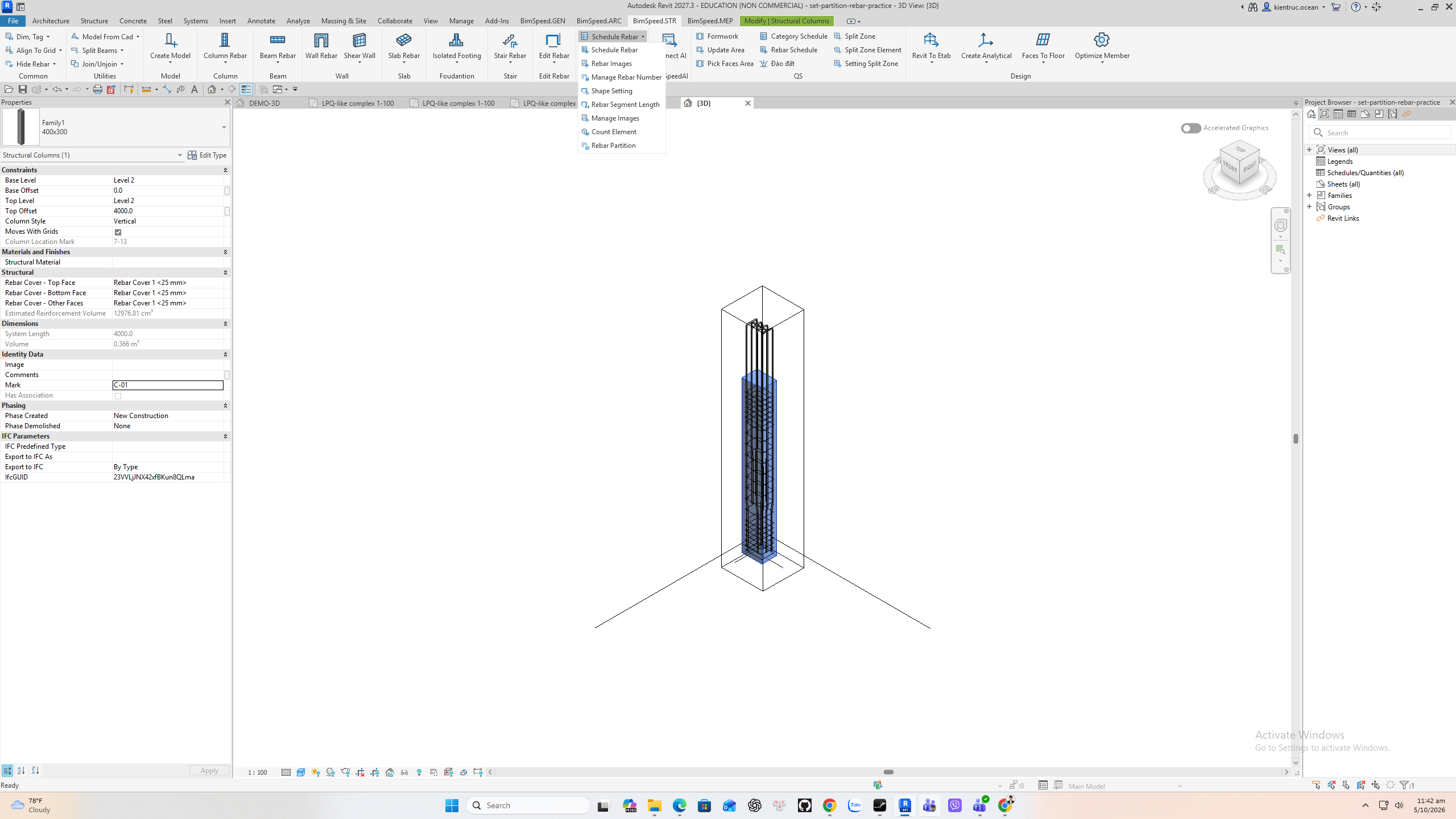
2. Choose the correct command
With the host selected, expand Schedule Rebar on BimSpeed dot S T R and choose Rebar Partition. The same logic can process selected Rebar directly or the bars hosted by selected elements. A blank Mark gives no useful schedule grouping.
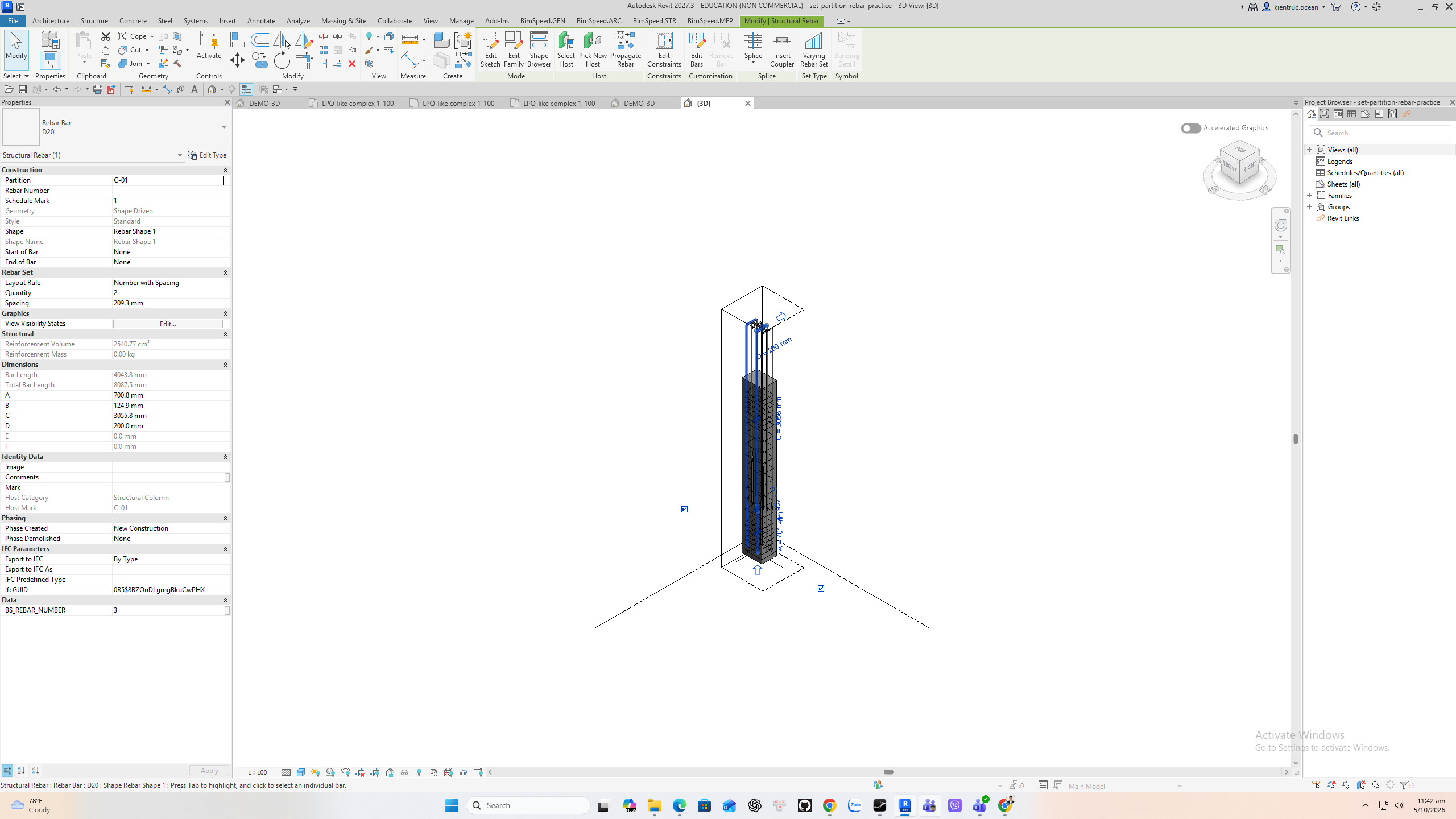
3. Verify the actual bar parameter
Select a hosted D twenty bar. Revit Properties now shows Partition C dash zero one and Host Mark C dash zero one. This saved practice file contains the verified result. Repeat on a copied model if the host Mark or grouping rule changes.