Bubble Slab Review — geometry and scope
Select one existing Floor, then open Bubble Slab Review in the BimSpeed.STR slab group or the standalone module Review button. Ribbon visibility depends on edition/module; package registration does not prove every edition shows the button. Review and Rebar share a shell with different starting tabs.
Shared window, every action and steel setting · Bubble reinforcement
Walkthrough
- Read Floor boundary/holes, thickness, elevation and supports. The support reader accepts eligible vertical prismatic structural columns; curved/slanted supports, walls, beams and links require separate review.
- Adjust Inputs or Catalog when available. Review diagnostics and local U/V preview; apply edited Advanced JSON.
- Create/update geometry, close the window and inspect actual elements in a Revit 3D view. Preview/review export is not model output.
- Open Rebar after geometry is correct, resolve types, check readiness and create steel. Remove owned steel before updating unit geometry.
From bubble dimensions to actual model elements
- Select a supported Floor and open Bubble Slab Review. Choose Sphere or Ellipsoid in Inputs and inspect CatalogItem provenance. Synthetic catalog labels establish sample geometry, not manufacturer approval.
- Sphere requires compatible diameters; Ellipsoid allows different X/Y/Z values. The verified L-shaped example uses 300×240×180 mm ellipsoids, a staggered 1200 mm grid,23° rotation,70 mm upper/lower skins and 150 mm edge clearance.
Center elevationis WORLD Z in mm, not a relative offset from the Floor. - Review minimum pitch/gaps, concave edges and solid regions. Edit Manual solid regions in Advanced using the current host's local U/V polygons, Apply JSON, then read candidate diagnostics. More clearance removes bubbles without changing the Floor boundary.
- Create / Update writes positive solids. The final ellipsoid example has 10 native elements; the separate arc-boundary sphere example has 17. Their hosts/boundaries differ: this is not evidence that ellipsoids always produce fewer units.
- Close the tool, open 3D/plan and select elements to inspect shape, dimensions, elevations and volume. Use a section to inspect actual skins. Solids/envelopes neither cut voids nor deduct concrete from the Floor. Ctrl+S and reopen; refresh the tool after host edits before Update.
For a layout-edit exercise, increase pitch while retaining valid skins/clearances: count usually falls, but staggering/rotation/boundaries affect rows. Decrease pitch within valid gaps to increase density and review each zone. A Z-diameter edit requires checking Center elevation and both skins, not only the plan ellipse. Updated bubble geometry must match the plan before steel readiness; the steel button does not repair stale bubble solids.
Geometry settings
| Control / setting | Unit, condition, effect and verification |
|---|---|
CatalogItem.CatalogId / ItemId / Version / Source | Catalog metadata; SAMPLE denotes synthetic geometry and must be replaced with approved project data. |
CatalogItem.Shape / DiameterXMm / DiameterYMm / DiameterZMm | Sphere/Ellipsoid and full outside diameters in mm, not semi-axes. Inspect bounding box and 3D geometry. |
Grid | Aligned/Staggered changes the row pattern; inspect odd/even rows near holes and solid exclusions. |
CenterPitchXMm / CenterPitchYMm / MinimumClearGapXMm / MinimumClearGapYMm | Center pitch and independently enforced minimum clear gaps in mm. A pitch that violates size/gap constraints is invalid. |
RotationDegrees / GridOriginMm.X,Y / GridOffsetMm.X,Y | Angle and local U/V origin; offsets are applied along grid axes before rotation into the floor frame. |
CenterElevationMm | World center elevation in mm. New presets store a relative midplane offset; legacy absolute-elevation presets on a different host require review. |
TopConcreteSkinMm / BottomConcreteSkinMm | Minimum concrete skins above/below the bubble envelope. Check center elevation and Z diameter, not host thickness alone. |
EdgeClearanceMm / SupportClearanceMm / ManualSolidClearanceMm | Independent clearances for edges/holes, supports and manual solid regions. Increasing them can remove additional placements. |
ManualSolidRegions | Advanced: local U/V polygons excluding bubbles. Spatial presets are host-bound and must not be blindly transferred. |
MaximumFootprintRadialErrorMm / MaximumCandidates | Conservative footprint approximation error in mm and candidate limit. A planar footprint is distinct from the actual sphere/ellipsoid solid. |
Verification, saving and limits
Positive geometry does not cut the Floor: envelope volume is neither plastic volume nor net concrete deduction. Save stores JSON; save the RVT separately. Reopen the command after host/support changes to refresh its snapshot. Cover changes cannot resolve stale-host errors.
Geometry evidence and download
Installed package 2026.10.23.2046, production service in Revit 2024. Geometry was created/updated, saved and reopened without void-cutting the original Floor. The ribbon entry was not invoked.
| Geometry case | Create | Same-input repeat | Update |
|---|---|---|---|
| Sphere — openings | 37 | 37 | 24 |
| Sphere — arc boundary | 23 | 23 | 17 |
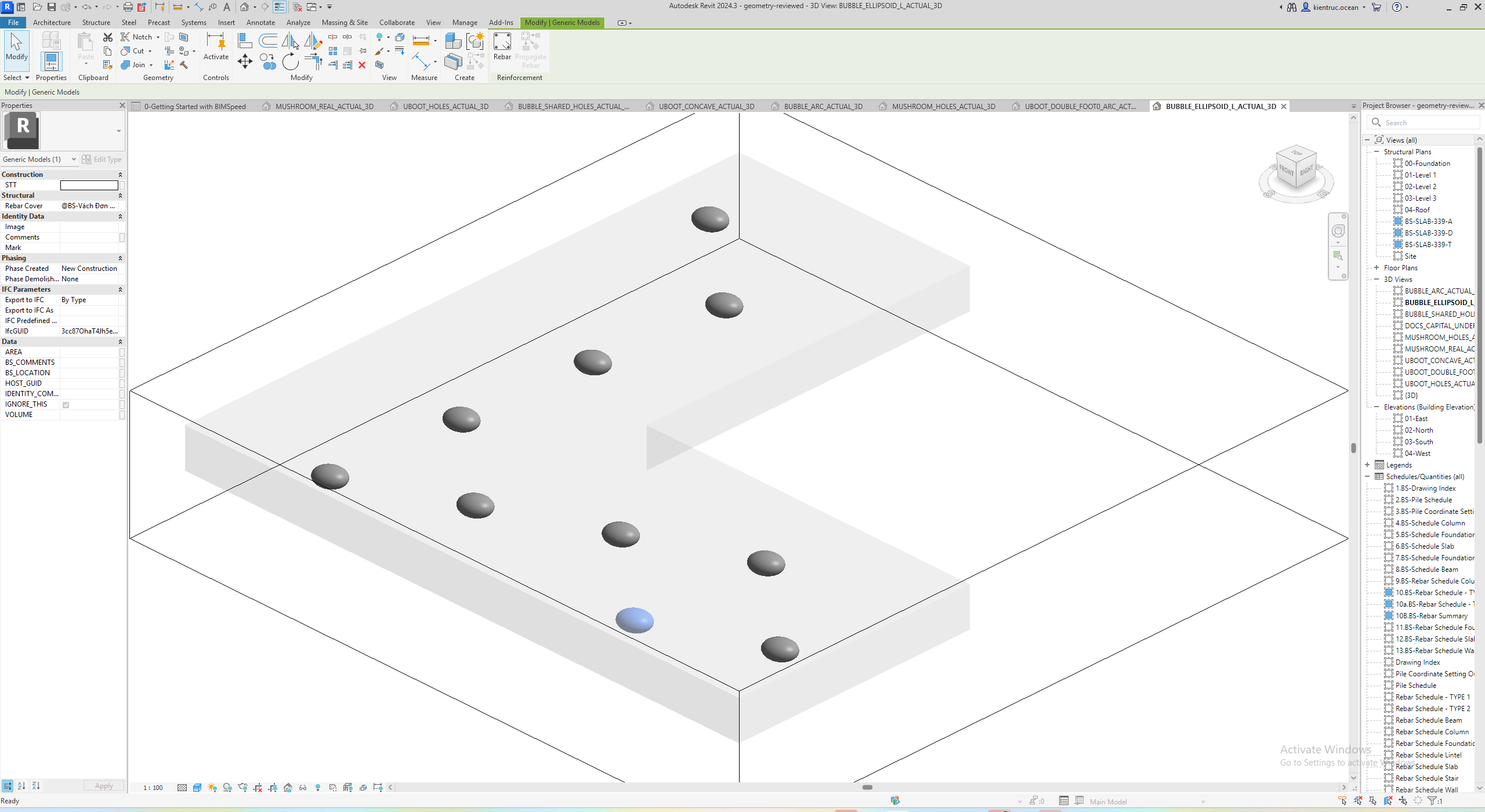
| Ellipsoid — L-shaped Floor | 17 | 17 | 10 |
Sphere/ellipsoid solids use synthetic test provenance, not manufacturer certification. Product-specific views isolate the intended geometry where products share a host.
Marker 1 identifies inputs, committed model geometry and selected-element Properties respectively. The input UI and geometry output are separate cases; Mushroom’s empty-support preview is not evidence of created drops.
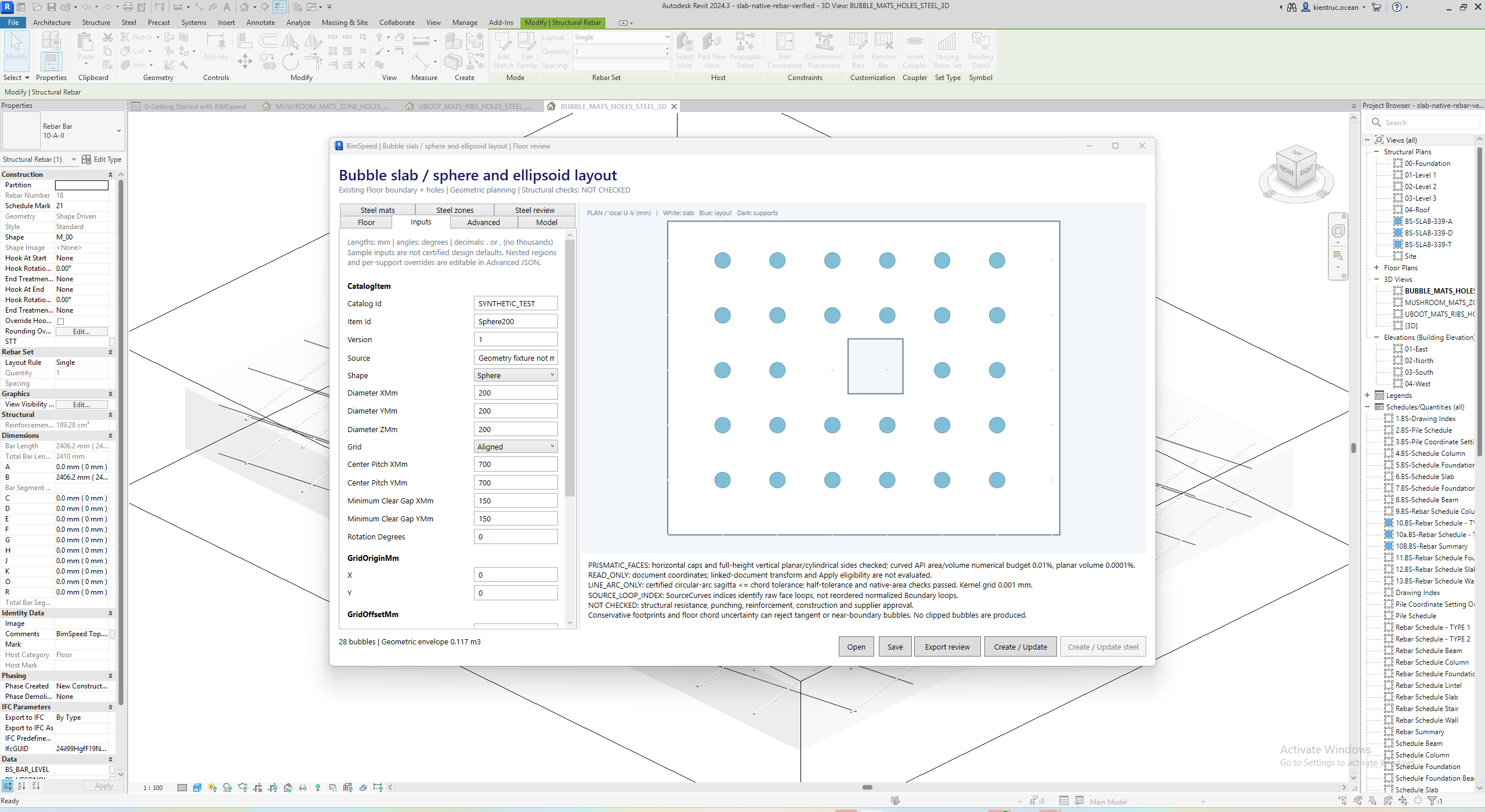
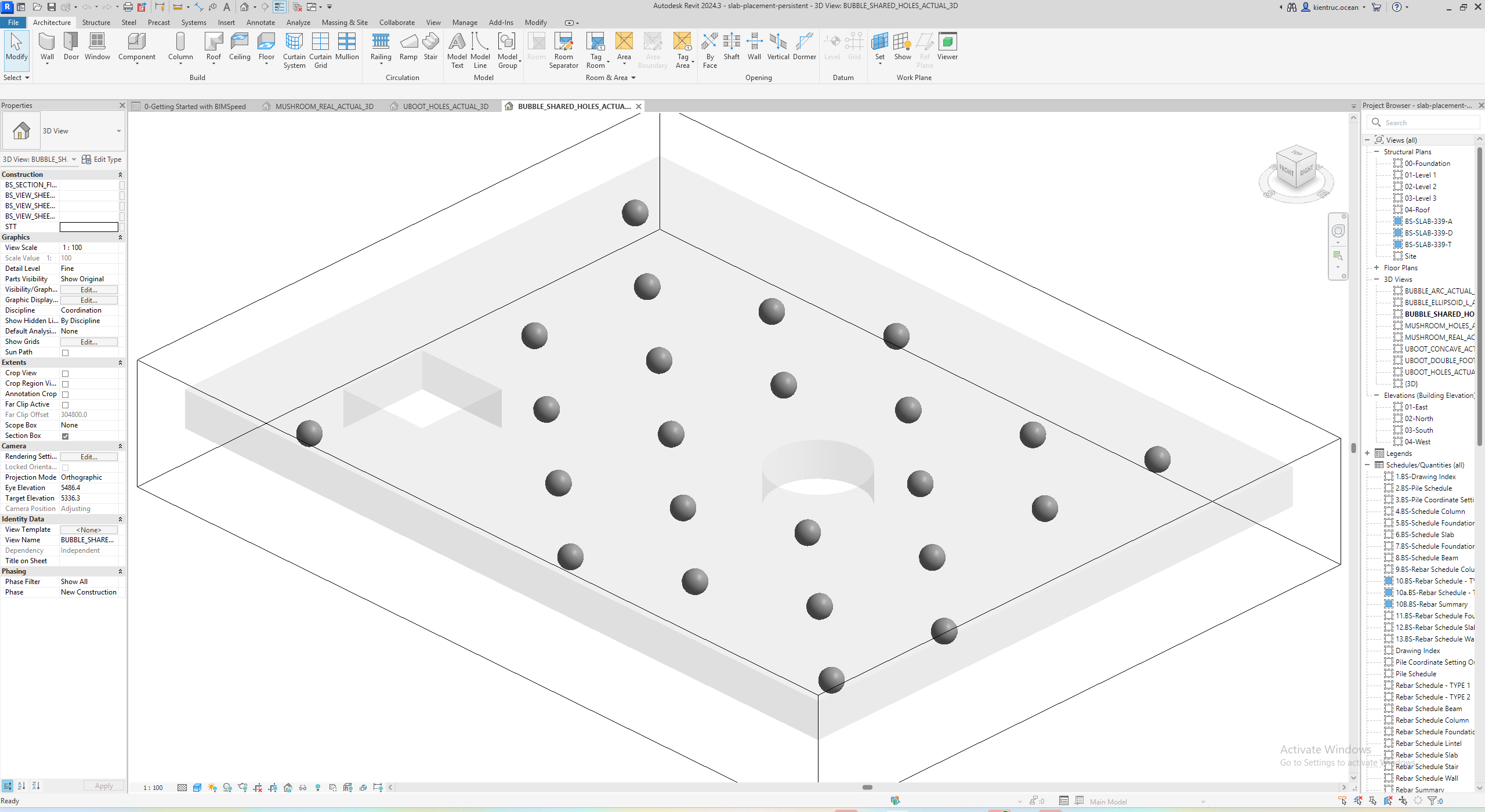
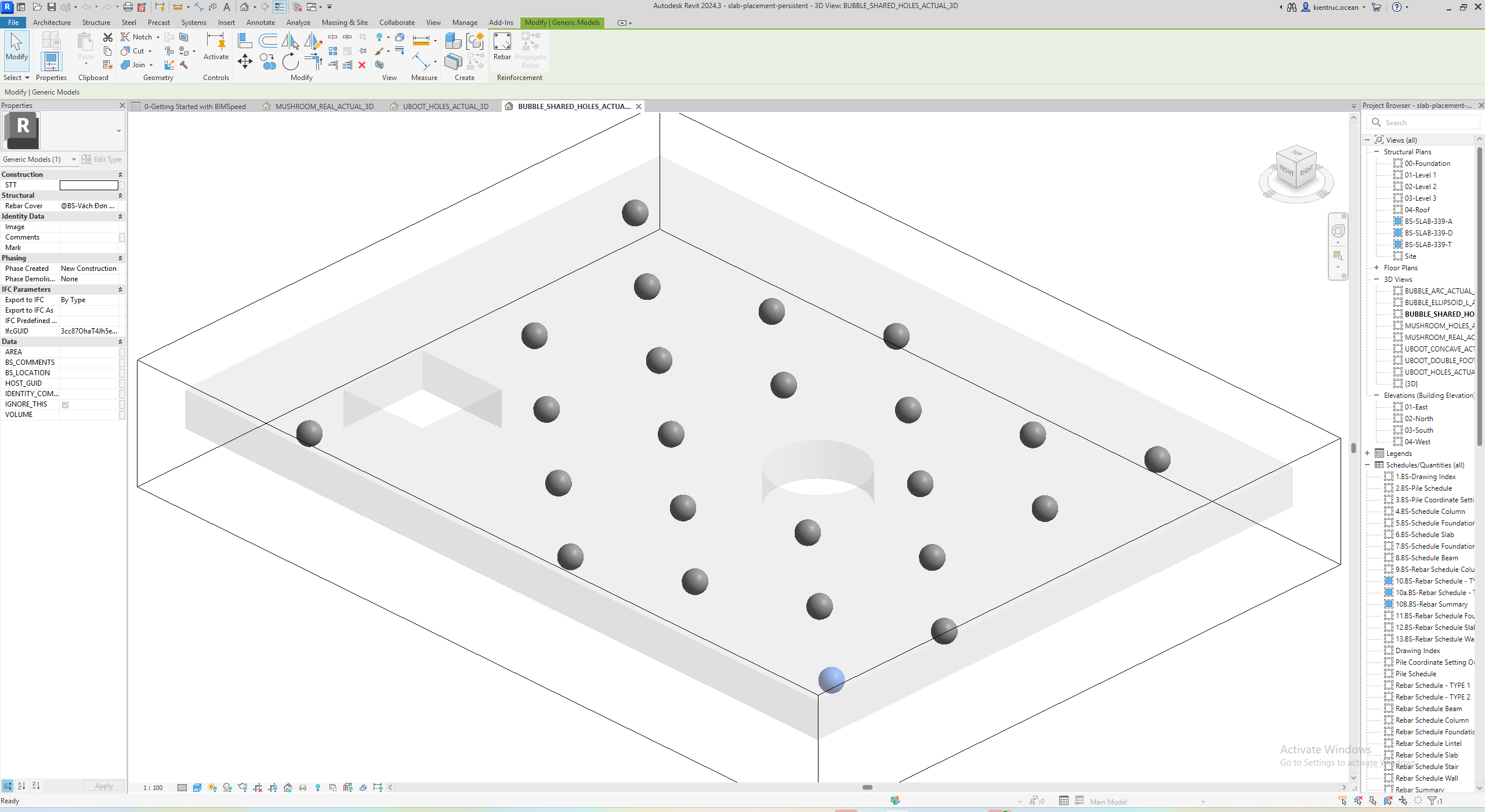
Revit 2024 input/positive-geometry output package. Open the ACTUAL_3D/ACTUAL_PLAN views and read the per-host quantities/limits in README. Save/reopen completed before full-window capture was interrupted after five views; remaining angles/capital close-ups are not claimed.
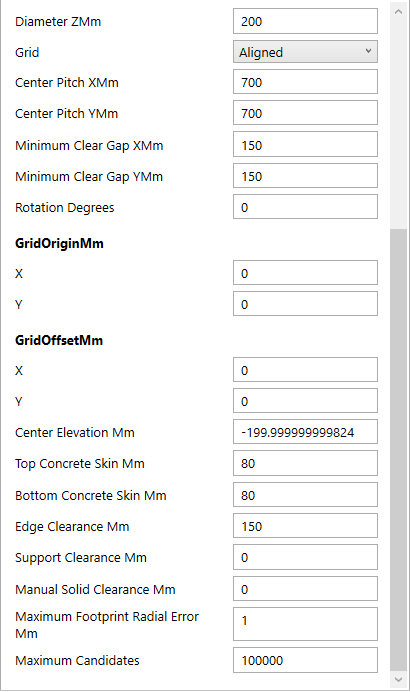
After scrolling Inputs: 1 contains grid/pitch/gap/rotation; 2 contains origin/offset and WORLD centre elevation; 3 contains skins, clearances and footprint error. Center Elevation is not a depth from the Floor underside.
Inspect reopened ellipsoids on a concave Floor
1: the selected native element is a Generic Model; 2: one of 10 ellipsoids on this host. The L-shaped boundary remains, rather than being filled with clipped bubbles. This 300/240/180 mm ellipsoid case differs from the Sphere Inputs image; match view and settings before comparing counts.