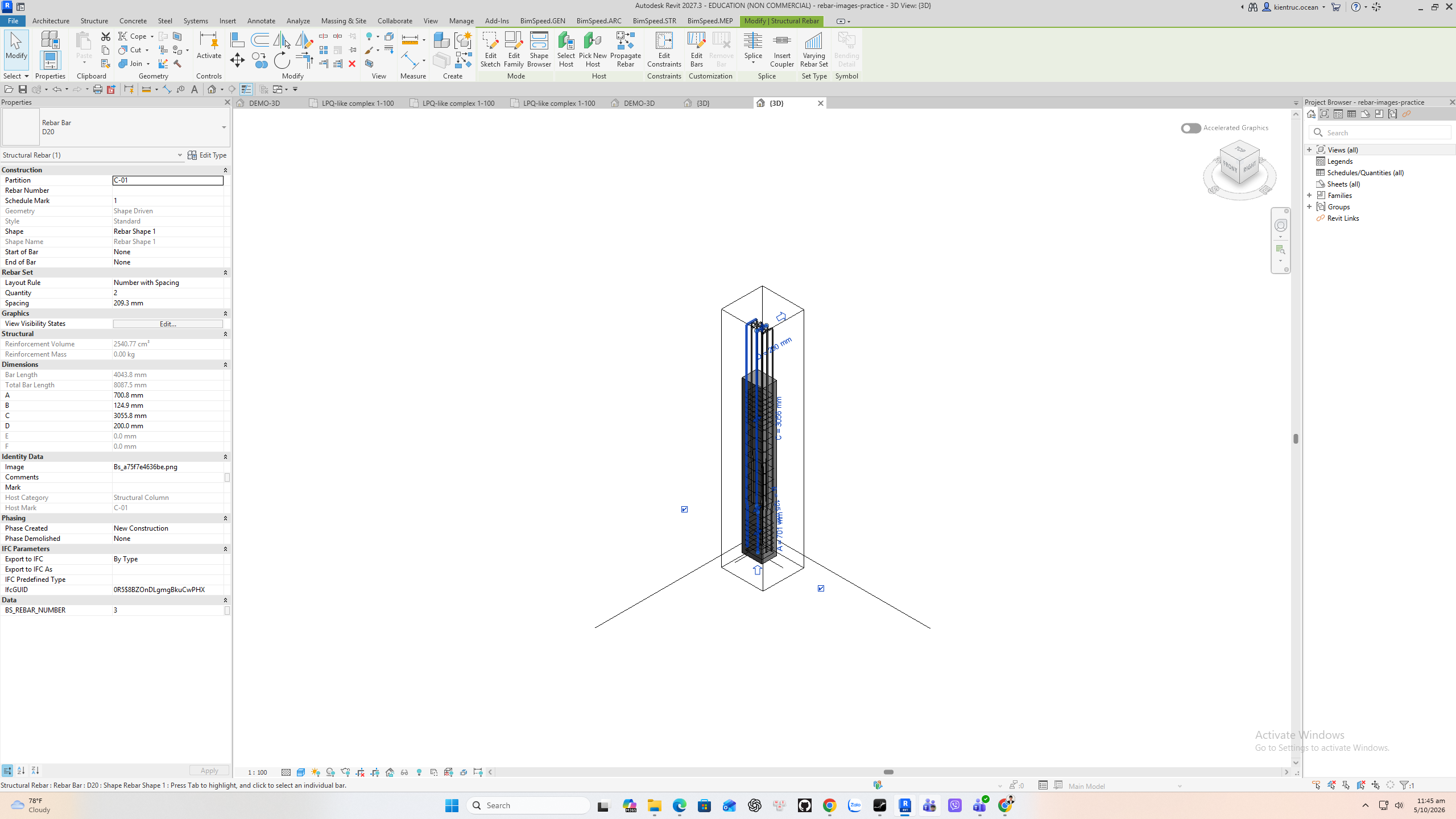
Ảnh hình dạng thép cho bảng thống kê
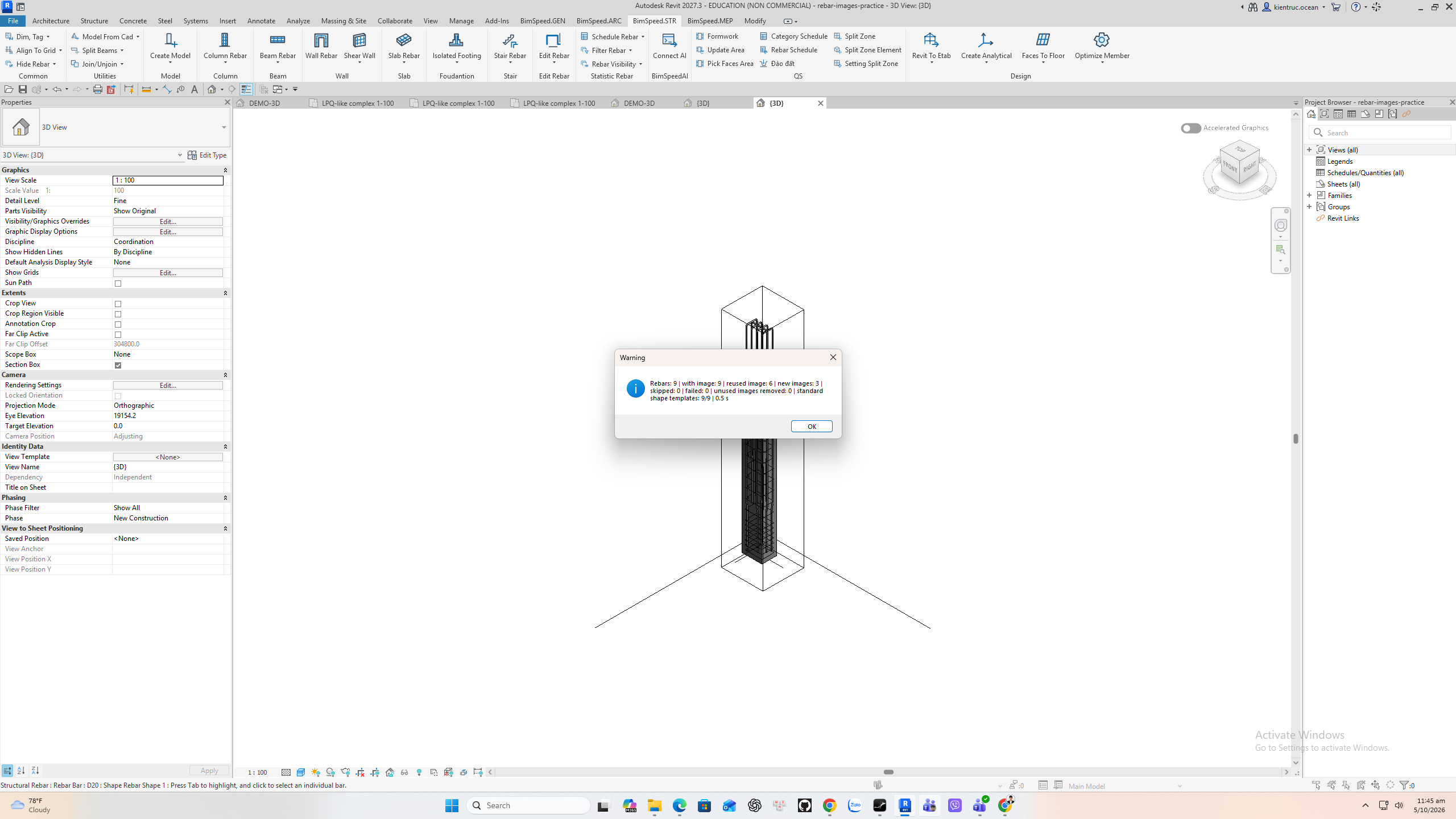
Vào BimSpeed.STR > Schedule Rebar > Rebar Images. Chọn phạm vi Project, Current View, Select Rebar, Partition hoặc By Schedule; ví dụ dùng Partition C-01 với 9 thanh. Options điều khiển template, tái dùng và dọn ảnh. Báo cáo chạy thật: 9/9 thanh có ảnh, 6 ảnh tái dùng, 3 ảnh mới, 0 bỏ qua, 0 lỗi. Properties của thanh D20 có tên PNG ở tham số Image; dùng tham số này trong Rebar Schedule.
Phạm vi kiểm chứng: C-01 partition: 9/9 rebar images, 3 new, 6 reused, 0 failed verified.
Video
Thuyết minh tiếng Anh: Google Gemini Charon. Video giữ toàn màn hình Revit, chỉ zoom ngắn khi chỉ dẫn control và có phụ đề English theo lời đọc. Transcript · SRT.
Từng bước theo hình
1. Open Rebar Images and choose scope
Chọn phạm vi Project, View, Selection, Partition hoặc Schedule theo mục tiêu.
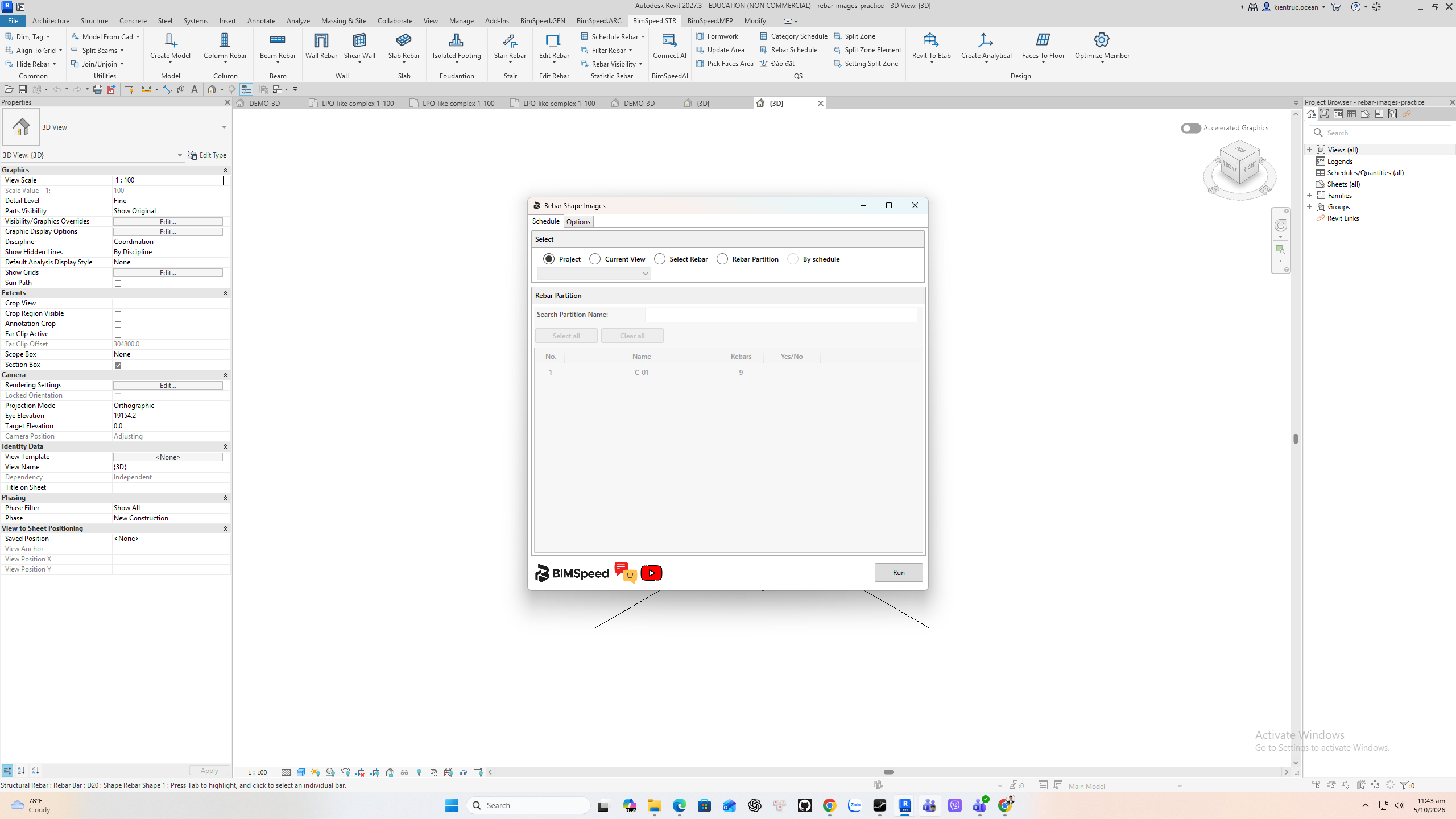
2. Choose the C-01 partition
Chọn Partition C-01 chứa 9 thanh.
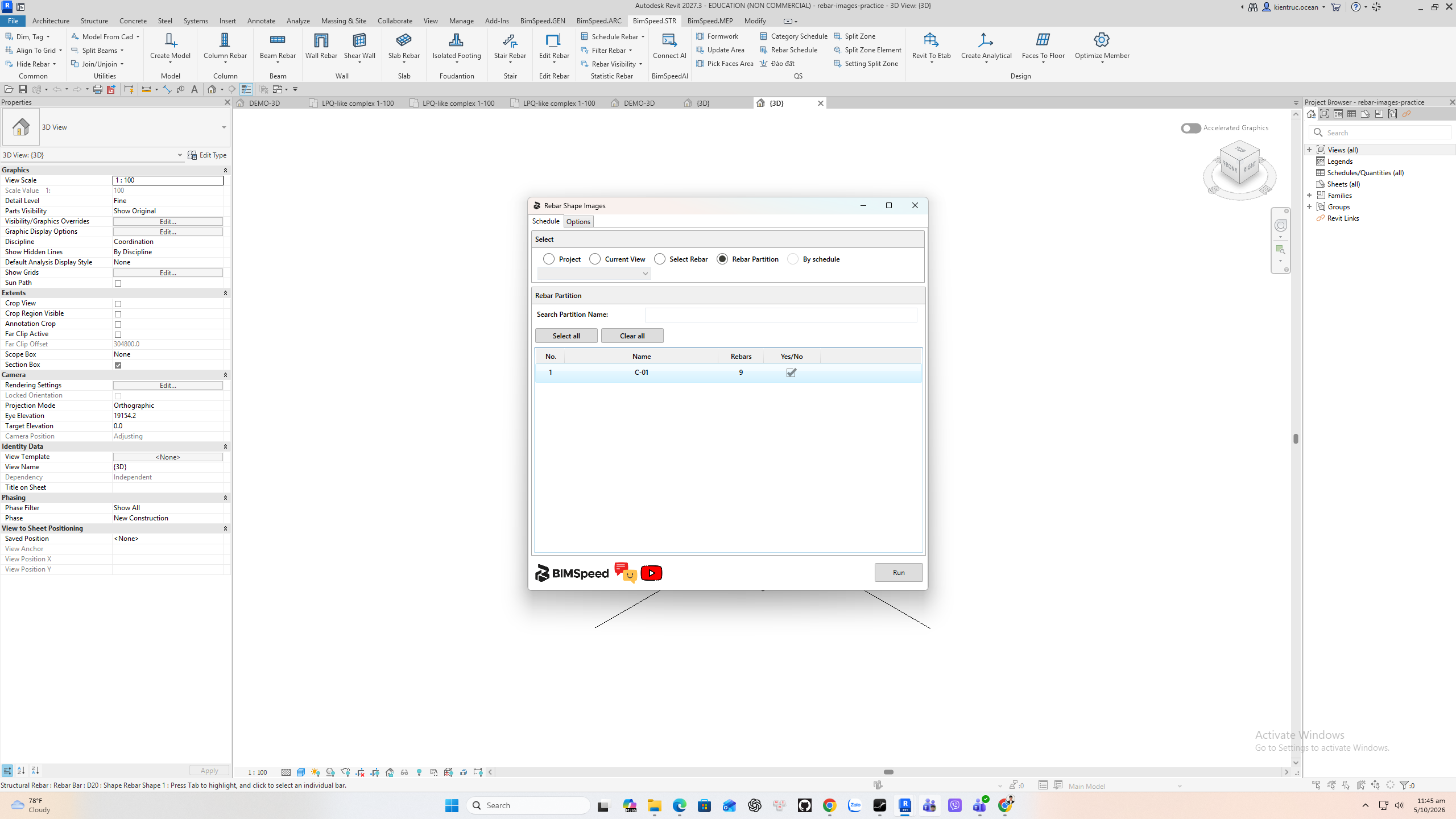
3. Review image options
Options đặt template, tái dùng và dọn ảnh; kiểm tra trước khi chạy toàn project.
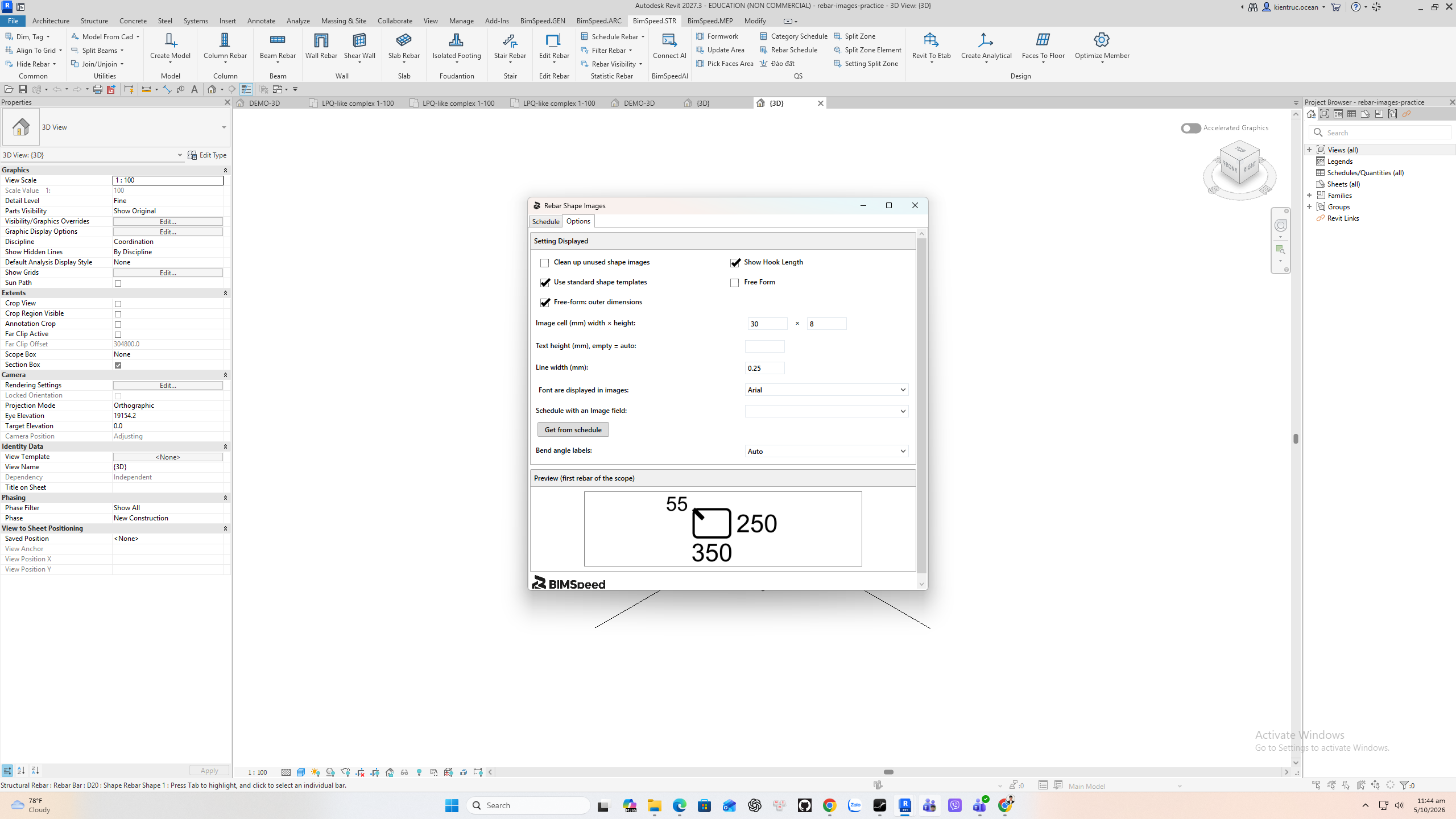
4. Generate and read the report
Báo cáo thật: 9/9 có ảnh, 6 tái dùng, 3 mới và 0 lỗi.
5. Verify Image on a Rebar
Properties của D20 chứa PNG ở Image, có thể đưa vào Rebar Schedule.